
Download 3D Box Shot Maker – Product Mockup, Box Design, Product Visualization, 3D Rendering, Product Packaging
Overview
3D Box Shot Maker is a specialized mobile application designed to simplify the creation of professional-grade product box mockups. The app enables users to generate three-dimensional representations of packaging using just two standard images: a front and side view of the product. This approach streamlines the design process, eliminating the need for complex 3D modeling software or advanced graphic design skills. The primary purpose of the app is to assist individuals and small businesses in visualizing their product packaging before production or marketing launch.
It serves as a practical solution for creators, e-commerce sellers, and independent designers who require quick, accurate visualizations for product listings, promotional materials, or brand presentations. By automating the 3D generation process, the app reduces time and effort typically associated with manual rendering. The target audience includes entrepreneurs, product developers, and digital marketers seeking a lightweight, accessible tool for packaging visualization.
Although the developer did not provide additional technical details about the app’s background or development history, its long-standing presence since 2007 suggests a stable, well-tested foundation. The app continues to offer value in the digital design ecosystem as a free, no-frills utility for product visualization. Its relevance persists despite evolving design trends, indicating consistent functionality and user demand.
Key Features & Functionality
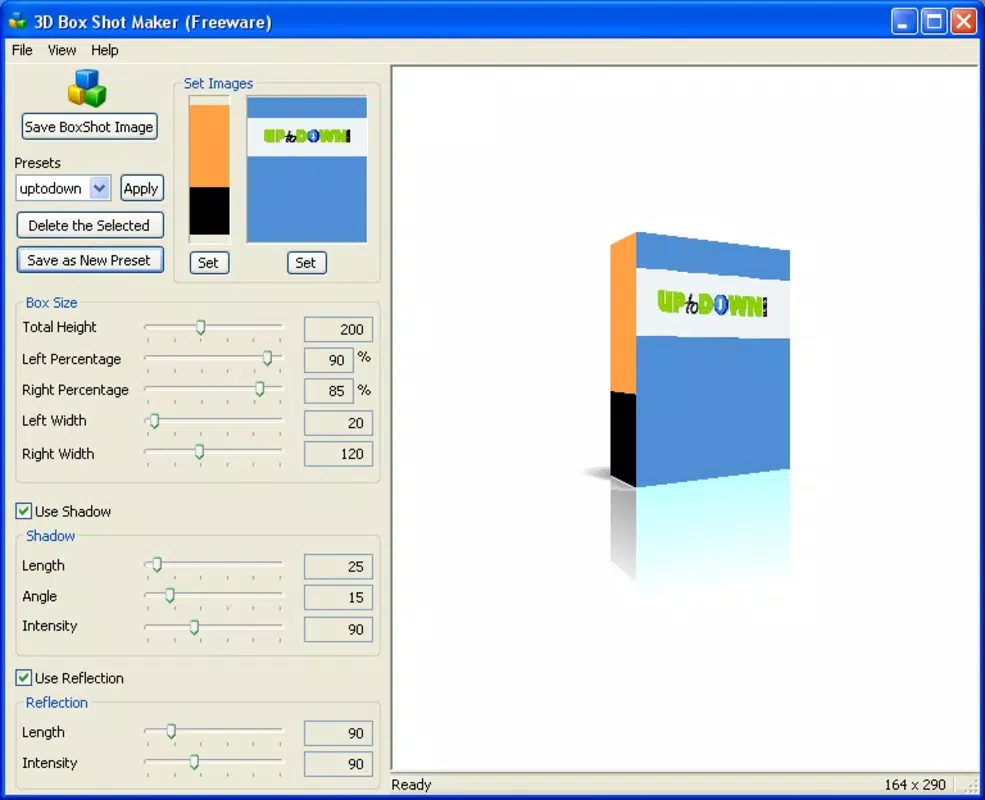
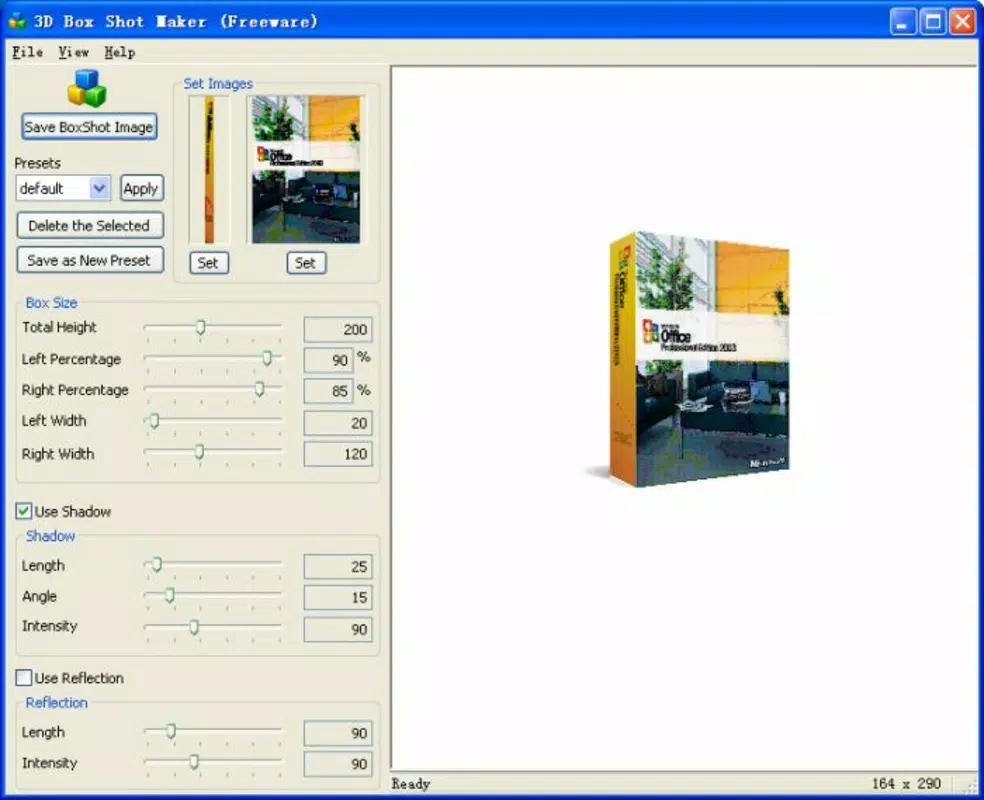
- Easy Image Integration: Users can upload a front-facing and a side-facing image of their product. The app automatically generates a 3D box model based on these inputs, significantly reducing manual effort and design complexity.
- Customizable Parameters: The app allows users to adjust the box’s angle, dimensions, and shadow intensity. This level of control enables precise alignment with branding guidelines and presentation needs.
- Reflection Options: Realistic reflections can be applied to enhance the visual depth and professionalism of the final mockup, making the product appear more tangible and high-quality.
- Free to Use: The application is available at no cost, making it an accessible option for startups, freelancers, and creators operating on tight budgets.
- Streamlined Workflow: With minimal steps required to produce a polished 3D box shot, the app supports rapid prototyping and iteration during product development cycles.
For example, an e-commerce seller preparing to list a new skincare product can use a front and side photo of the bottle, upload them into the app, and instantly generate a 3D box mockup suitable for use on online marketplaces. Similarly, a product designer can experiment with different angles and lighting effects to assess visual impact before finalizing packaging design.
Interface, UX & Performance
The user interface of 3D Box Shot Maker is designed with simplicity in mind, focusing on a streamlined workflow that prioritizes accessibility. The layout appears to center around a central preview area where the 3D box model is displayed, flanked by intuitive controls for image upload and parameter adjustments. Navigation is likely linear and task-oriented, guiding users through the process of uploading images, making adjustments, and exporting the final output.
Visual style emphasizes functionality over aesthetic flair, which aligns with the app’s utility-focused purpose. The interface avoids clutter, using clear labels and minimal icons to ensure usability across different age groups and technical skill levels. While the developer did not list formal performance metrics, the app’s lightweight size of 10.2 MB suggests efficient resource usage, making it suitable for a wide range of Android devices, including older models.
Although the developer did not specify minimum OS requirements, the app’s long-standing release date indicates compatibility with a broad spectrum of Android versions. Responsiveness appears to be a key design consideration, as the app enables real-time adjustments to angles and reflections, implying smooth interaction. Stability is likely maintained through consistent updates, though specific update frequency was not disclosed.
Platform Compatibility & Technical Requirements
3D Box Shot Maker is available exclusively on the Android platform. The current software version is 1.0.0, with a file size of 10.2 MB. This compact footprint ensures quick installation and minimal storage impact on mobile devices.
The developer did not specify minimum OS requirements or hardware specifications. As such, compatibility with specific Android versions or device categories cannot be confirmed. However, given the app’s release date in 2007 and its continued availability, it is likely compatible with older Android systems, potentially down to early versions such as Android 2.1 or higher.
Users should ensure their device meets general Android system requirements for app installation. The app may not support newer Android features like dynamic theming or advanced camera integration, as it appears to rely on basic image processing capabilities rather than modern APIs.
Pros and Cons
Pros
- Free to download and use, eliminating financial barriers for creators and small businesses.
- Simple, intuitive interface suitable for users with no design experience.
- Generates 3D box mockups from just two images, reducing design time significantly.
- Offers customizable parameters such as angle, dimensions, and shadow effects.
- Includes reflection options to enhance realism and visual appeal.
- Lightweight file size (10.2 MB) ensures fast installation and low storage usage.
Cons
- Specific system requirements were not listed, which may cause uncertainty for potential users.
- No information was provided about update frequency or future development plans.
- Limited to Android platform; no iOS or web version is available.
- Functionality appears restricted to basic 3D box rendering without advanced features like animation or multi-material support.
- Developer did not provide details on export formats or resolution options.
FAQ
Is 3D Box Shot Maker safe to download and install?
Yes, the app is available for free on Android and does not require third-party permissions beyond standard image access. It is recommended to install from trusted sources to ensure security.
Can I use 3D Box Shot Maker on iOS devices?
Currently, the app is only available on Android. There is no official iOS version or web-based alternative provided by the developer.
What kind of images should I use for the best results?
For optimal 3D rendering, use high-contrast, well-lit images of the product from the front and side. Ensure both images show the same product with consistent lighting and scale.
How often is 3D Box Shot Maker updated?
The developer did not disclose update frequency. The app’s version history remains unchanged since its release in 2007, suggesting minimal updates or maintenance.
Can I export my 3D box mockup in different formats?
The developer did not specify supported export formats. Users may need to check the app’s export options directly to determine available file types.
Final Thoughts + CTA
3D Box Shot Maker stands out as a dedicated, no-cost tool for creating professional product box mockups using minimal input. Its core strength lies in its simplicity and efficiency—transforming two flat images into a 3D visualization without requiring design expertise or expensive software. While it lacks modern features like animation, multi-platform support, or detailed export options, its focused functionality makes it ideal for users who prioritize speed and ease over advanced capabilities.
Entrepreneurs, e-commerce sellers, and independent creators will benefit most from this app’s ability to produce polished packaging visuals quickly and affordably. For those seeking a lightweight, reliable utility to support product presentation and branding, 3D Box Shot Maker delivers consistent value.
Despite its age and limited updates, the app remains relevant in the productivity space as a niche tool for digital packaging visualization. Its free model and straightforward workflow ensure broad accessibility.
Download 3D Box Shot Maker now


